Messenger,
Unleashed.
Chat on your terms
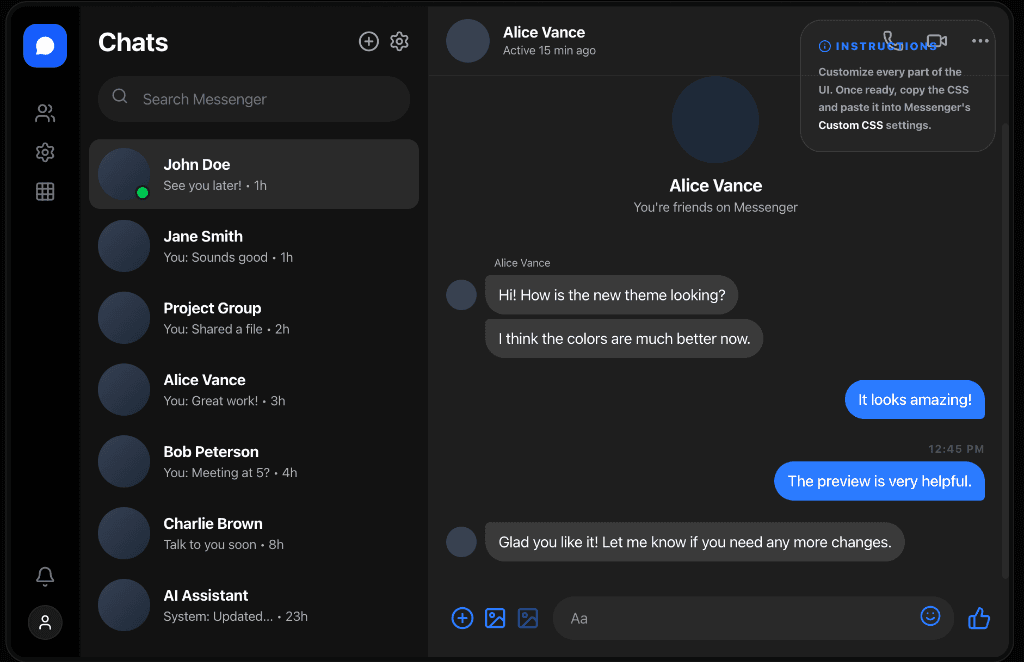
A desktop client for Messenger with privacy controls, custom themes, floating chat heads, screen sharing, and power-user tools. Built to feel native.
Features that matter
Built for people who want more from their messenger.
Block Read Receipts
Others won't know when you've read their messages.
Hide Typing Indicator
Draft replies without the typing bubble showing up.
Clipboard Sanitizer
Strip tracking metadata from pasted content.
Block Active Status
Appear offline while still seeing others online.
Invisible Ink
Send hidden messages that reveal on hover.
Screen Share + Calls
Voice, video, and screen sharing built in.
Scheduled Messages
Delay sending with a configurable timer.
17+ Built-in Themes
OLED Dark, Nord, Dracula, Solarized, and vibrant accent colors. Or create your own.
Theme CreatorKeyboard Navigation
Navigate conversations with shortcuts. Built for speed.
Floating Chat Heads
Keep a conversation within reach when minimized.
Picture-in-Picture
Pop a mini chat window over your other apps.
Auto Updates
Stay current without managing downloads.
Keyword Alerts
Get notified when specific words appear.
Custom CSS + Glass
Fine-tune every pixel with custom styles.
Desktop-first experience
All the features you'd expect from a native app.
System Integration
Feels right at home on your desktop.
- Menu bar mode
- Launch at login
- Do Not Disturb + Quiet Hours
- Always on top
- Native notifications
Customization
Make it truly yours.
- Custom CSS injection
- Visual theme creator
- Glass + compact UI modes
- Android-style bubbles
Productivity
Tools that help you get things done.
- Quick reply templates
- Picture-in-Picture
- Session export/import
- Spell check built-in
Ready to unleash?
Free. Open source. Forever.
Run this in Terminal:
curl -fsSL https://raw.githubusercontent.com/pcstyleorg/messenger-desktop/main/install.sh | bash